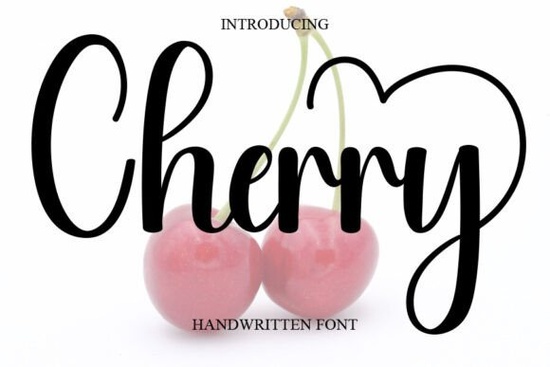
If you’ve been searching for a handwritten script that feels personal, warm, and just a little bit playful, Cherry Font might be exactly what your next project needs. It’s the kind of typeface that doesn’t shout for attention instead, it invites the viewer in with soft curves and a relaxed rhythm. Whether you’re designing wedding invitations, branding materials, or social media graphics, Cherry adds charm without overwhelming your layout.
What makes this font especially useful is how naturally it fits into both elegant and casual contexts. You can pair it with minimalist sans-serifs for modern contrast or let it shine solo on greeting cards and packaging. Its gentle flow works beautifully for quotes, product names, or even short headlines where personality matters more than formality.
Who should consider using Cherry Font?
If you run a small business selling handmade goods, create printables for Etsy, or design logos for local clients, Cherry gives your work an approachable, human touch. Crafters love it for vinyl cutting and embroidery digitizing because the strokes are clean and consistent. Print-on-demand sellers find it reliable for t-shirts, mugs, and tote bags especially when targeting audiences who appreciate romantic, feminine, or whimsical aesthetics.
It’s also a favorite among stationery designers. Think save-the-dates, thank-you notes, or boutique labels anywhere you want to evoke sweetness without being overly ornate. Compared to fonts like Stay Wonderful or Heart Style, Cherry leans more toward everyday elegance than decorative flair, which makes it surprisingly versatile.
How does it compare to other script fonts?
Not all cursive fonts behave the same way in design software or cutting machines. Some have thin, fragile lines that break at small sizes. Others feel stiff or overly formal. Cherry avoids both pitfalls. The letterforms connect smoothly but don’t force ligatures where they’re not needed, so you maintain readability even in tight spaces.
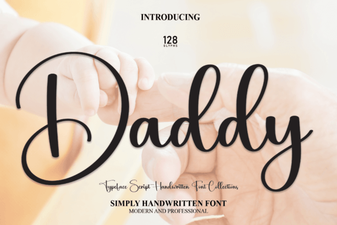
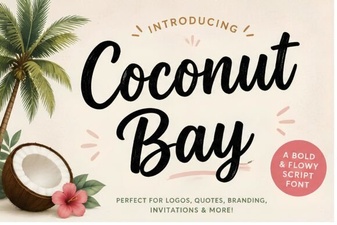
For example, if you’ve tried Daddy Font and found it too bold or masculine for your project, Cherry offers a softer alternative. Or if Coconut Bay felt too tropical or beachy, Cherry keeps things grounded while still feeling fresh. It’s one of those fonts that adapts to your tone rather than dictating it.
What file formats come with the download?
You’ll typically get OTF, TTF, and WOFF files enough to cover desktop use, web embedding, and most crafting software like Cricut Design Space or Silhouette Studio. Always double-check the listing for SVG support if you’re planning intricate cut files, though most users won’t need it for standard applications.
The license usually allows commercial use, which is essential if you’re selling designs. Just make sure you’re not redistributing the font files themselves only your final creations. Creative Fabrica’s standard licensing covers most small business needs, but if you’re working with large-scale merchandise or apps, review their extended license terms.
Any tips for pairing it with other typefaces?
Yes keep your pairings simple. Cherry already brings plenty of character, so choose neutral companions:
- A clean sans-serif like Montserrat or Lato for body text or subheadings.
- A light serif like Playfair Display if you’re going for editorial or luxury vibes.
- Avoid pairing with other scripts unless you’re intentionally creating contrast (like mixing Cherry Font with something angular or geometric).
Also, give it breathing room. Don’t cram too many words together this font shines in short bursts: names, taglines, captions, or accent phrases.
Where can I see real examples of it in use?
Browse through user uploads on Creative Fabrica or Pinterest search “Cherry Font mockup” or “Cherry Font wedding.” You’ll find everything from bakery packaging to baby shower banners. Seeing how others apply it often sparks better ideas than staring at the character map alone.
One clever use we spotted? A coffee shop used it for seasonal drink names on chalkboard signs the casual elegance matched their rustic-modern interior perfectly. Another designer layered it over watercolor backgrounds for Instagram quote posts, letting the texture peek through the letters.
Quick checklist before you buy:
- Test the preview type your own words in the live demo tool.
- Check compatibility ensure your software supports OTF/TTF.
- Review the license confirm it covers your intended use case.
- Look at alternates some versions include swash letters or stylistic sets.
Still unsure? Download a similar freebie first maybe try Cherry Font’s trial version if available and test it in your actual workflow. Sometimes the best way to know if a font “clicks” is to use it in context.
Download Now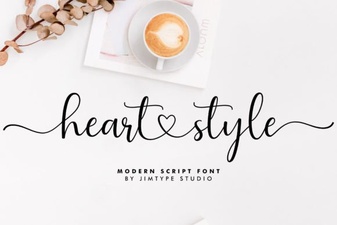 Heart Font Designs for Crafting & Creative Projects
 Daddy Font: Bold Design Ideas and Resources
 Discover the Creative Coconut Bay Font Design
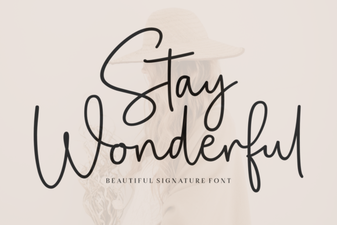 Stay Wonderful Font: Creative Projects & Design Tips
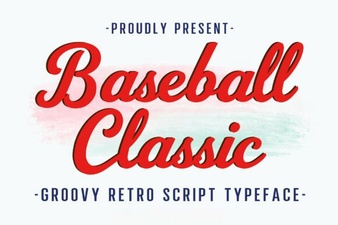 Designing with Baseball Classic Font Styles
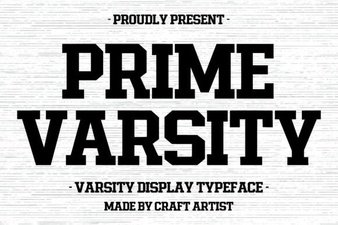 Prime Varsity Font Download & Design Tips