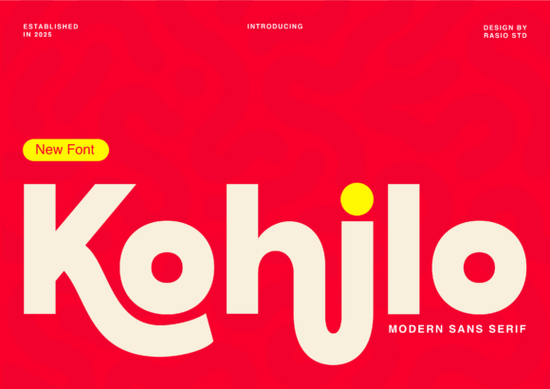
If you’ve been scrolling through font collections looking for something that feels both modern and full of character, you might want to pause at Kohilo. It’s a sans serif with personality thick strokes, fluid curves, and just enough quirk to stand out without feeling chaotic. The “h” and “j” especially have this liquid-like bend that catches the eye, making it perfect for projects that need to feel bold but not overwhelming.
Designers who work on branding for creative tech startups or playful product packaging often struggle to find fonts that balance professionalism with approachability. Kohilo sits right in that sweet spot. You can pair it with minimalist layouts and still get that punchy, contemporary vibe. If you’ve used fonts like Cultivo or Summer Marker before, you’ll appreciate how Kohilo brings its own rhythm while staying legible and clean.
What kind of projects does Kohilo work best for?
It’s built for impact. Think social media banners that need to stop the scroll, app interfaces where buttons should feel inviting, or toy packaging that wants to shout “fun!” without yelling. Here’s where it shines:
- Creative tech branding Startups that want to feel fresh and human, not corporate or sterile.
- Game and toy packaging Especially if your audience is kids or young adults who respond to bold, friendly visuals.
- Social headers and ads That exaggerated curve in the “j”? Perfect for grabbing attention above the fold.
- Mobile and web UI elements Buttons, badges, or feature headlines where you want clarity with charm.
One thing to note: while Kohilo reads well at medium to large sizes, it’s not ideal for long paragraphs or tiny captions. Save it for moments where you want people to pause and notice.
How does it compare to other playful sans serifs?
If you’ve tried Perfect Lemonade, you know that font leans into casual, handwritten energy. Kohilo is more structured it doesn’t pretend to be sketched by hand, but it still dances. The contrast between its solid verticals and those swooping descenders gives it a confident rhythm. It’s less “weekend doodle” and more “designed with intention.”
That structure also makes it easier to pair. Try setting body text in a neutral sans (like Inter or Lato) and let Kohilo handle headlines or callouts. You’ll get hierarchy without visual noise.
Can small businesses and crafters use this without design experience?
Absolutely. Even if you’re designing merch for Etsy or whipping up Instagram posts for your side hustle, Kohilo’s personality does a lot of the heavy lifting. Its thick strokes show up clearly on dark backgrounds, and the unique letterforms help your text feel custom even if you’re just typing into Canva or Photoshop.
Pro tip: avoid using all caps unless you really need to. Those curvy lowercase letters are where Kohilo’s charm lives. A simple title case headline (“New Game Drop”) will look more natural than shouting (“NEW GAME DROP”).
Does it support special characters or multilingual use?
Kohilo includes basic Latin characters, numerals, punctuation, and common symbols enough for most English-based projects. If you’re working with extended European languages or non-Latin scripts, double-check the glyph set before committing. Creative Fabrica usually lists language support on each product page, so take a quick peek if you’re unsure.
Where should I start if I’m new to using display fonts like this?
Start small. Pick one element in your design a headline, a logo lockup, a button label and try Kohilo there first. See how it feels next to your photos, colors, or other typefaces. If it works, expand from there. Don’t force it into every corner of your layout; sometimes less is more with fonts that have strong personalities.
And if you’re pairing it? Stick to simple, geometric sans serifs. Avoid anything too decorative or script-heavy you’ll muddy the message. Fonts like Montserrat, Poppins, or even Cultivo make calm, reliable partners.
Quick checklist before you download:
- ✅ Check your project size Kohilo works best at 18pt or larger.
- ✅ Preview it in context. Does it clash with your brand colors or imagery?
- ✅ Test readability. Show it to someone else can they read it quickly?
- ✅ Consider licensing. Make sure your plan covers commercial use if you’re selling products.
Fonts like this don’t need to be complicated to be effective. Sometimes, all you need is one typeface that knows how to stand out and stay useful. Give Kohilo a spin on your next header or logo mockup. You might be surprised how much personality a single font can bring to the table.
Get Started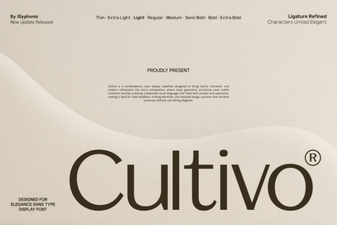 Cultivo Font: Download Free Creative Headline Typeface
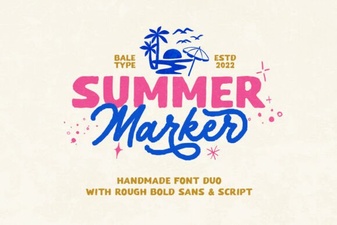 Summer Marker Fonts for Creative Design Projects
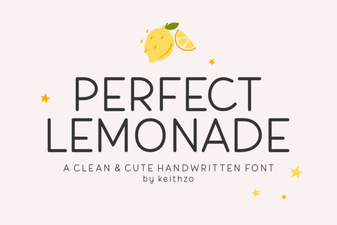 The Perfect Lemonade Font for Creative Projects
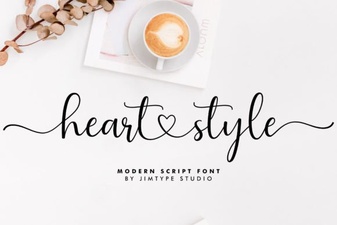 Heart Font Designs for Crafting & Creative Projects
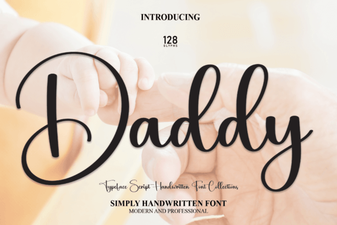 Daddy Font: Bold Design Ideas and Resources
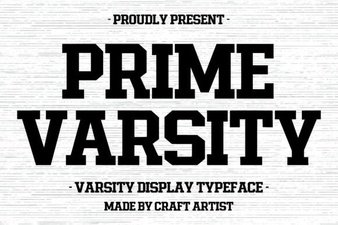 Prime Varsity Font Download & Design Tips