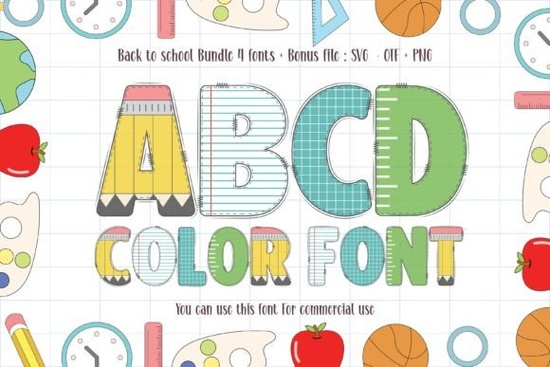
If you’re putting together designs for kids’ classrooms, school-themed crafts, or back-to-school printables, the Back to School Font is worth a look. It’s thick, playful, and comes in full color which means you don’t need to add shading or effects manually. Teachers, Etsy sellers, and small business owners who create educational materials often find fonts like this save time while keeping things fun and visually engaging.
What makes this font work well for children’s projects?
The style leans into bold, chunky letterforms that are easy to read even from across a classroom or on a busy bulletin board. Because it’s a color font, each letter already includes gradients, shadows, or layered tones baked right in. That’s helpful if you’re not comfortable tweaking design software to achieve those effects yourself.
You’ll notice it pairs especially well with:
- Classroom posters and welcome signs
- Printable worksheets or flashcards
- School event flyers or party invites
- T-shirts, tote bags, or mugs for teachers and students
If you’ve browsed colorful display fonts before, you know many require extra steps to look their best. This one doesn’t. Open your design tool, type, and you’re basically done. No plugins or complicated layering needed assuming your software supports OpenType SVG (most modern ones do).
Can I use it for commercial projects?
Yes. Creative Fabrica’s standard license covers personal and commercial use, including print-on-demand platforms like Redbubble, Etsy, or Zazzle. You can sell physical products using this font without paying extra fees or crediting the designer though giving credit never hurts if you’re feeling generous.
Just remember: you can’t redistribute the font file itself or claim you made it. Pretty standard stuff. If you’re unsure about licensing details, their help section breaks it down clearly no legalese required.
How does it compare to other playful fonts?
Most kid-friendly fonts go one of two ways: super cartoony (think crayon scribbles) or overly polished (like something from a textbook). This one sits comfortably in between. The weight feels substantial without being clunky, and the built-in color gives it dimension without looking overdone.
It’s also more flexible than you might expect. While it shines in school-themed designs, we’ve seen crafters use it for birthday party invites, summer camp flyers, and even motivational quote prints aimed at younger audiences. The palette leans bright and cheerful, so it naturally fits upbeat themes.
What software works with this font?
As mentioned, you’ll need a program that supports color fonts (OpenType SVG). Good news: most popular tools do these days. Here’s a quick list:
- Adobe Photoshop (CC 2017 and later)
- Adobe Illustrator (CC 2018 and later)
- Affinity Designer and Photo
- Canva (Pro version recommended for smoother handling)
- Silhouette Studio (Business Edition)
- Cricut Design Space (with some prep export as PNG first)
If your favorite app isn’t listed, try exporting your text as a high-res PNG from a supported program, then importing that image. Not ideal for every project, but it gets the job done when you’re stuck.
Any tips for getting the most out of it?
A few small tricks help this font pop even more:
- Pair it with simple sans-serifs. Let the colorful letters be the star. A clean font like Arial or Montserrat for supporting text keeps things balanced.
- Use it at larger sizes. The details in the color layers show up best when the text is big enough to see clearly.
- Try dark backgrounds. The bright colors really stand out against navy, black, or deep green great for posters or apparel.
- Don’t overuse it. One or two headlines per design is plenty. Too much can feel overwhelming, especially for young eyes.
Also, if you’re printing physical items, do a test print first. Some printers handle color gradients differently, and you’ll want to make sure the vibrancy translates off-screen.
Where else can I find fonts like this?
Creative Fabrica has a growing collection of fun, ready-to-use color fonts perfect for seasonal themes, holidays, or niche hobbies. Many follow the same “type and go” philosophy minimal setup, maximum impact. Worth browsing if you’re building a toolkit for quick-turnaround projects.
And if you ever need alternatives or want to mix styles, searching for similar names on their site usually turns up useful matches. Just keep an eye on licensing terms when switching between fonts they’re generally consistent, but it never hurts to double-check.
Quick checklist before you start:
- ✅ Confirm your design software supports color fonts
- ✅ Pick a background that lets the colors shine
- ✅ Limit usage to headlines or key phrases
- ✅ Test print if creating physical products
- ✅ Save your source files editing later is easier
Start small. Try it on a single poster or printable. See how it feels in your workflow. Chances are, once you’ve used it a few times, you’ll reach for it again especially when deadlines loom and you need something cheerful, fast, and fuss-free.
Download Now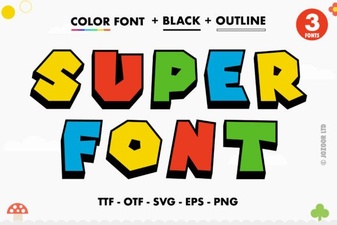 Super Font: Creative Ideas for Your Designs
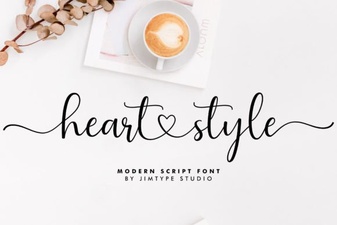 Heart Font Designs for Crafting & Creative Projects
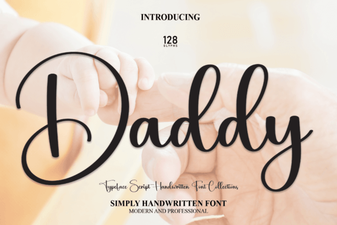 Daddy Font: Bold Design Ideas and Resources
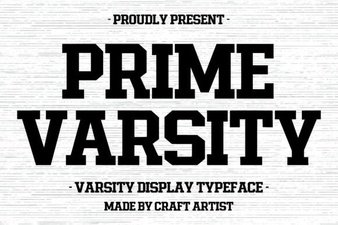 Prime Varsity Font Download & Design Tips
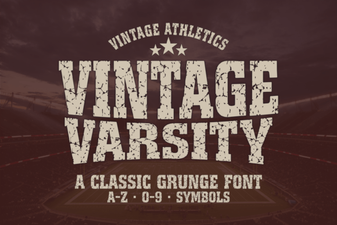 Your Vintage Sports Logo Project Guide
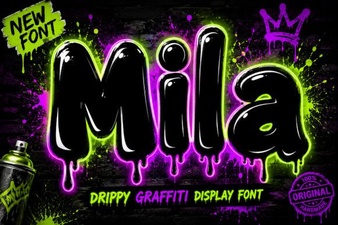 Discover Creative Typography with the Mila Font